







Take Full Control of Your Digital Credentials
Modern organizations deserve better than credential platforms that hold their data hostage. SwiftCertify is a powerful online certificate manager that puts you in the driver’s seat — automating certificate issuance, tracking professional achievements, and managing enterprise credentials entirely on your own infrastructure. Whether you run an HR department, a corporate training programme, or an educational institution, SwiftCertify by Alwajeez Tech eliminates administrative overhead and replaces it with a seamless, verifiable, and scalable credentialing system.
Why SwiftCertify? Data Sovereignty That Big SaaS Can’t Offer
This is white-label certification software designed around the principle that an organization’s credential history is a strategic asset — not a subscription-gated liability. When you deploy SwiftCertify, you get an enterprise credential management system that scales with you, without ever surrendering control to a third-party provider.
Who Is SwiftCertify For?
🏢 HR & Training Managers
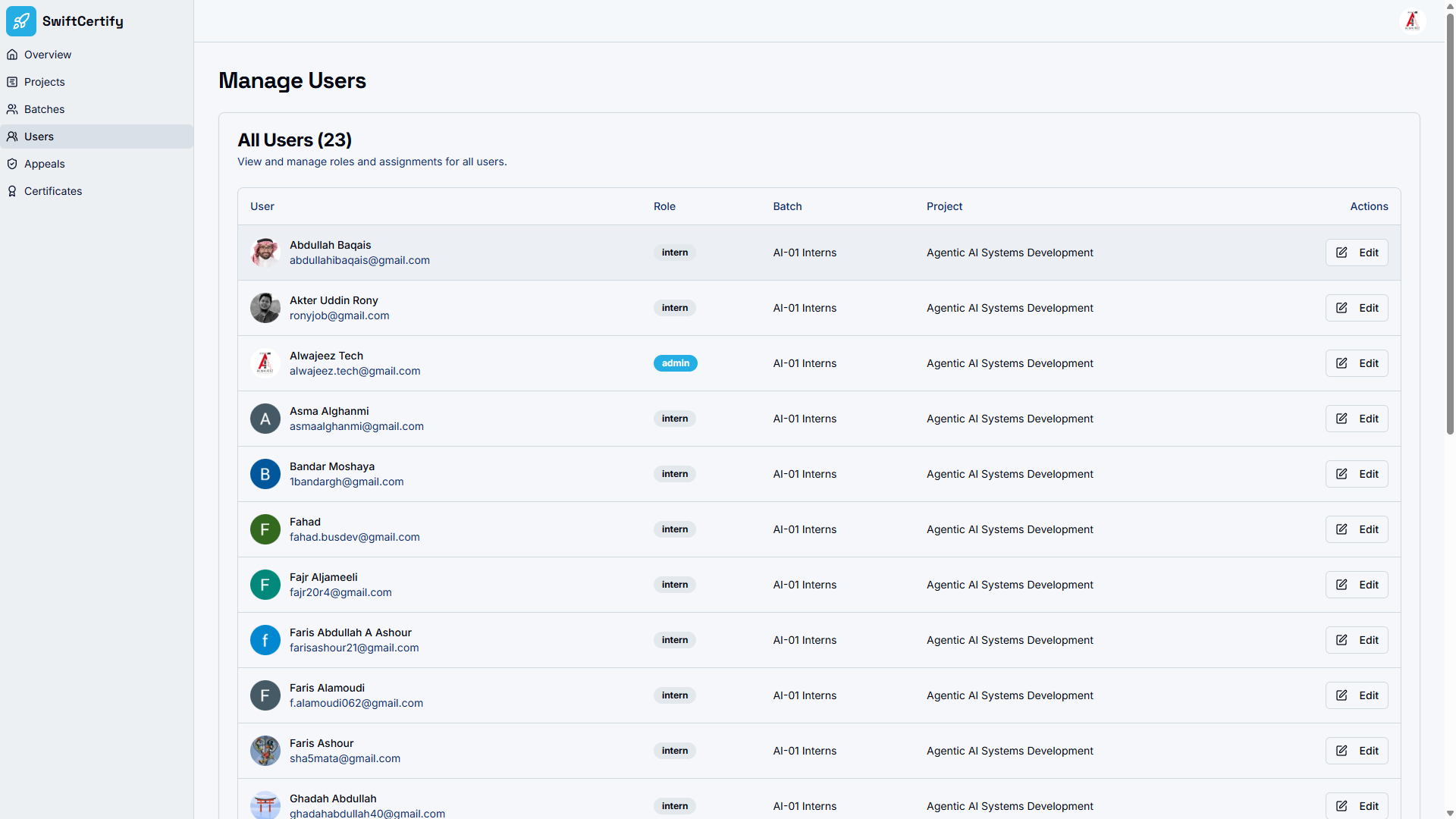
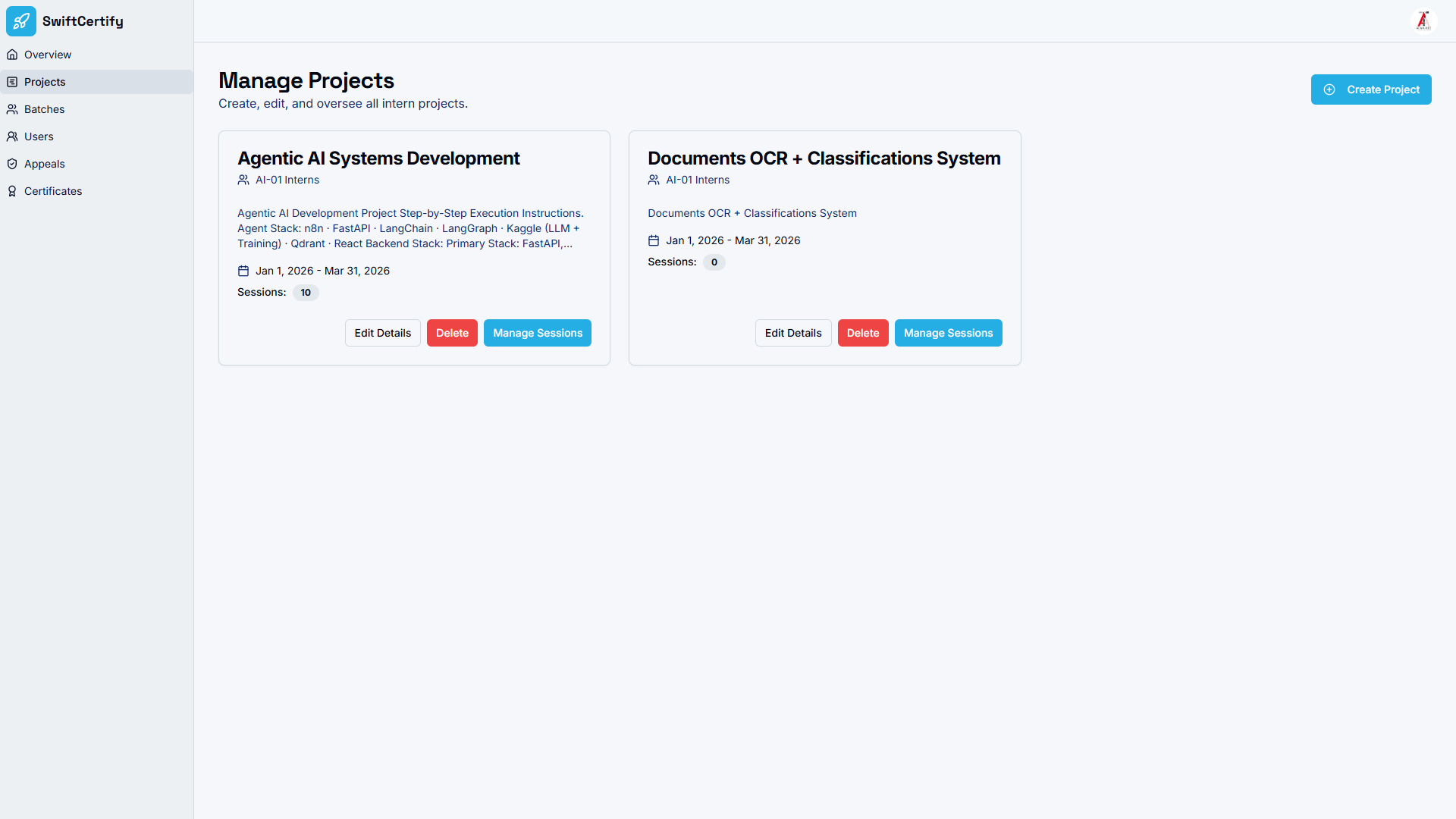
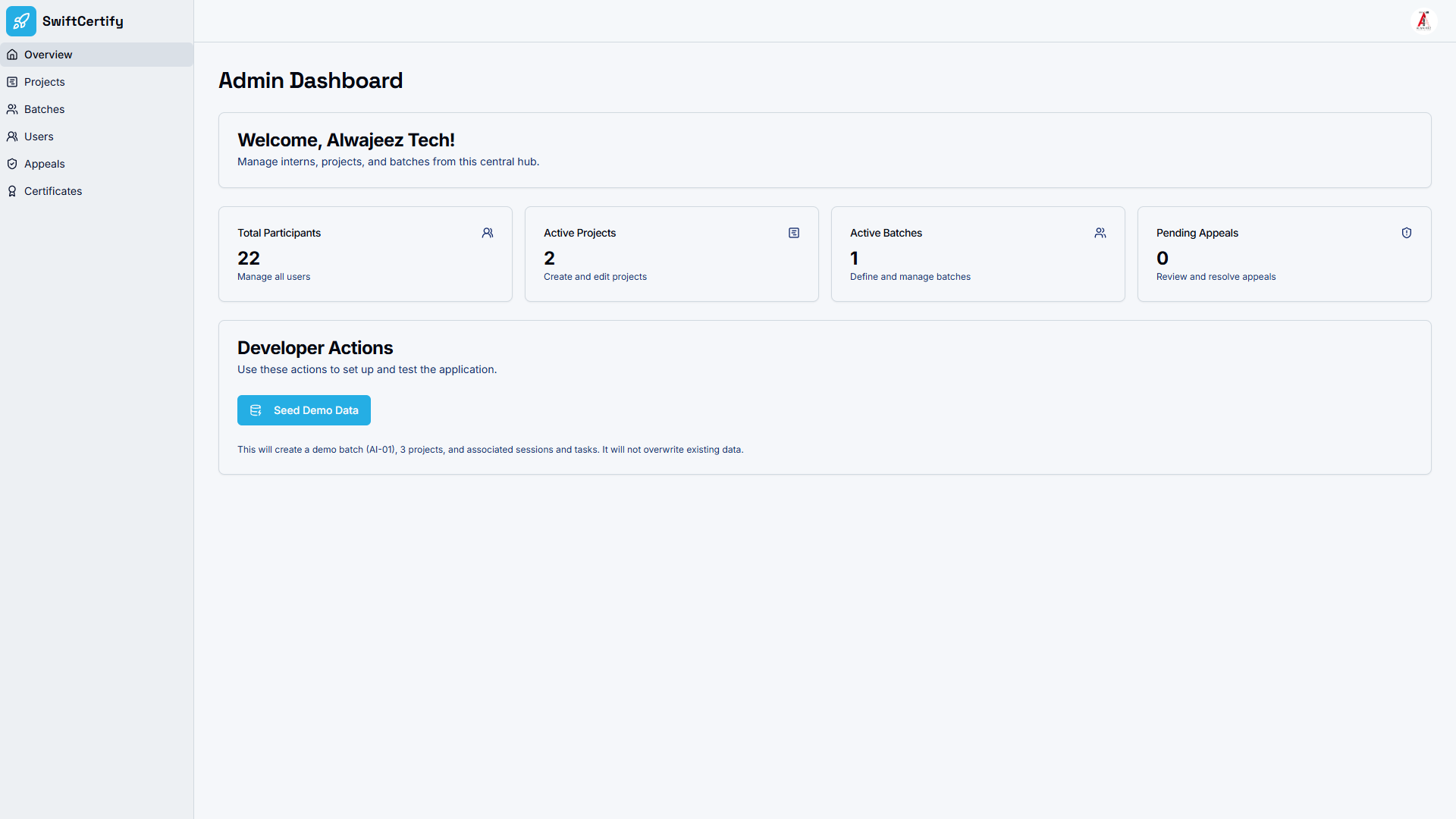
Streamline onboarding and training programmes end-to-end. SwiftCertify allows managers to set up programmes and cohort batches, assign real-world projects, schedule sessions, review participant progress, and issue verifiable certificates — all from a single comprehensive admin dashboard. Professional achievement tracking has never been more effortless.
🎓 Educators & Training Providers
Focus on teaching, not paperwork. Participants self-enroll using a unique enrollment link, making the onboarding process completely frictionless. No manual data entry, no spreadsheet wrangling — just a clean, secure, and engaging experience for your learners from day one.
Key Features
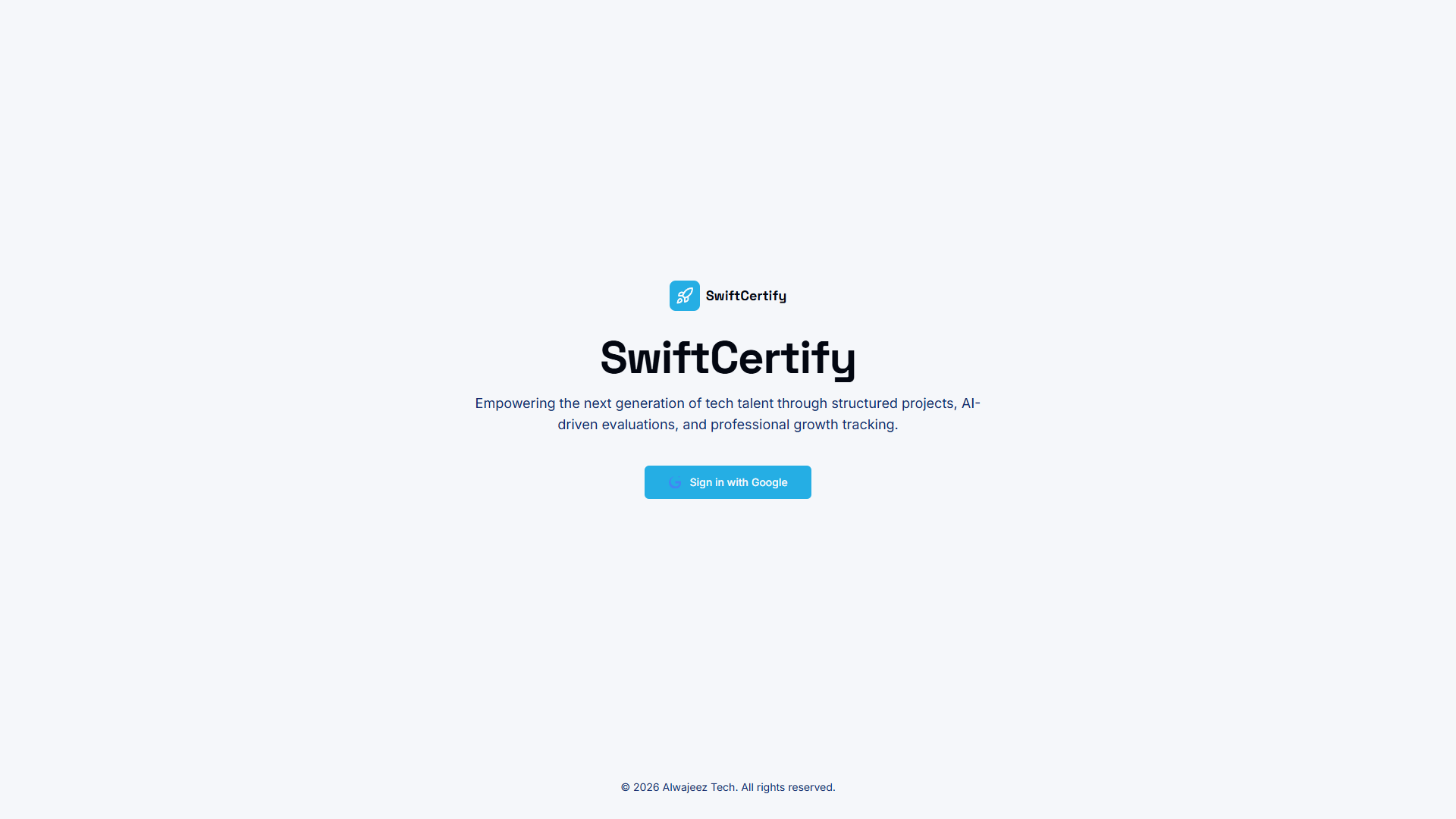
- Flawless Google Account Authentication — A completely frictionless signup and sign-in process powered exclusively by Google Accounts. Both administrators and end users authenticate with their existing Gmail accounts, eliminating forgotten passwords and delivering a highly secure, frictionless onboarding experience for everyone.
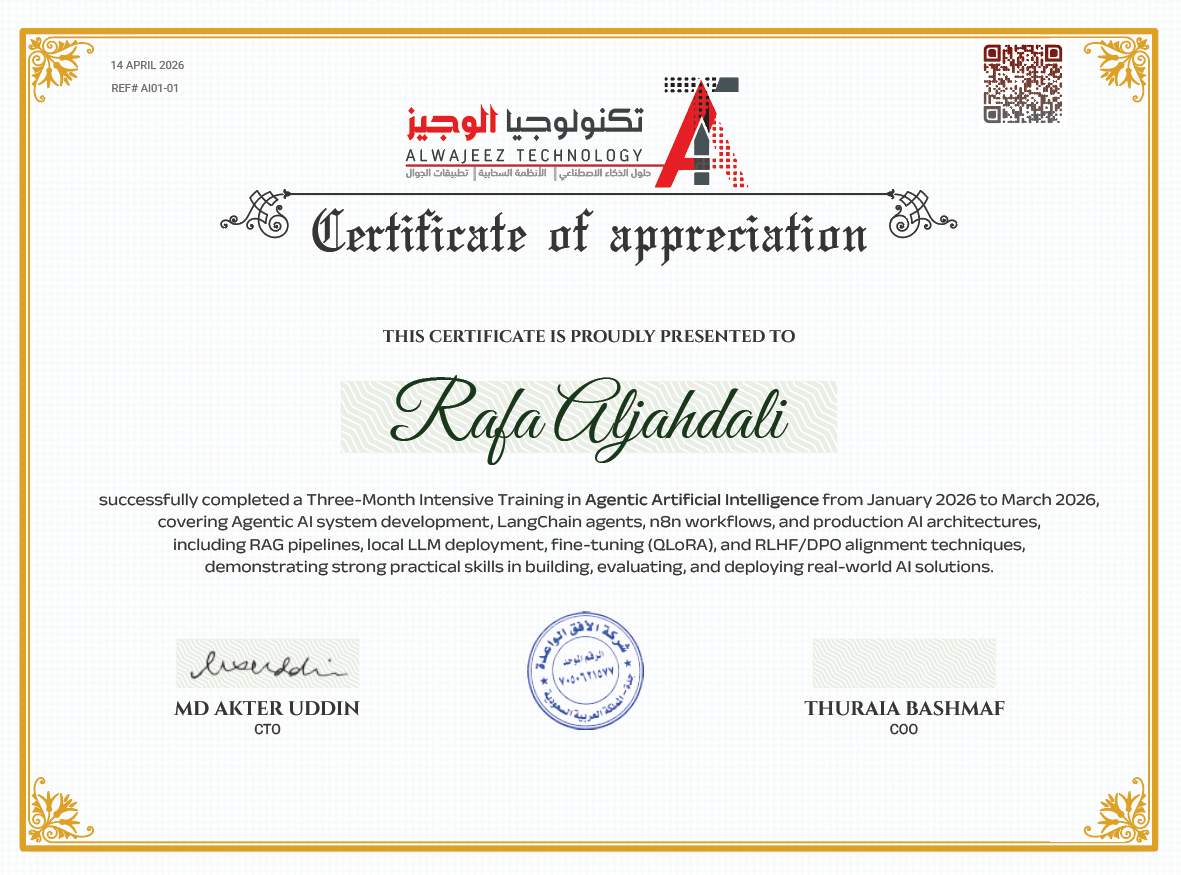
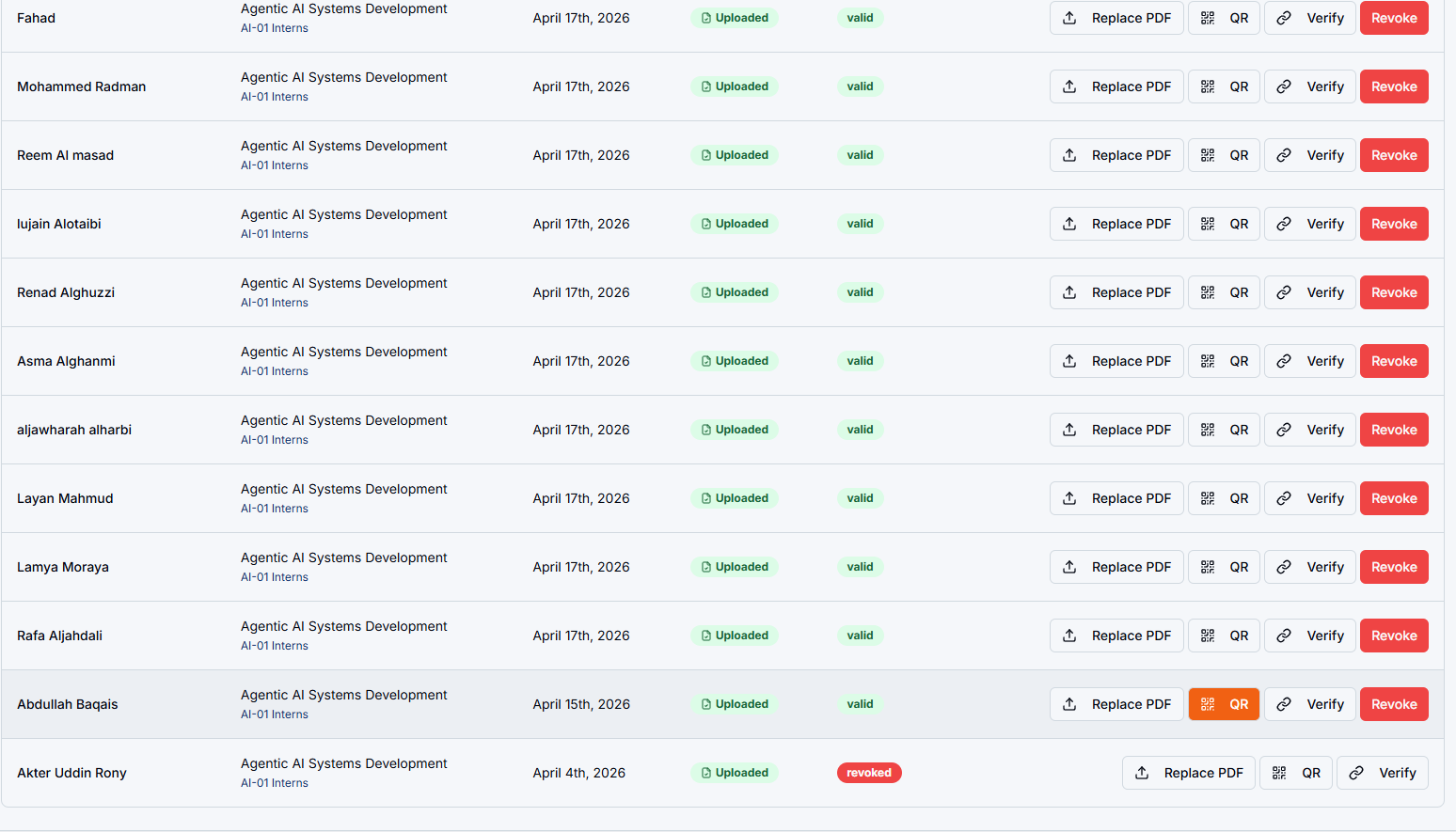
- Automated Certificate Issuance with QR Verification — SwiftCertify generates a unique QR code on every certificate, enabling instant online verification without manual lookups. Scan and confirm authenticity in seconds, from anywhere in the world.
- Verifiable Digital Badges — Create verifiable digital badges that link directly to undeniable proof of completion, giving participants a reliable, shareable way to showcase their skills to employers, universities, and clients.
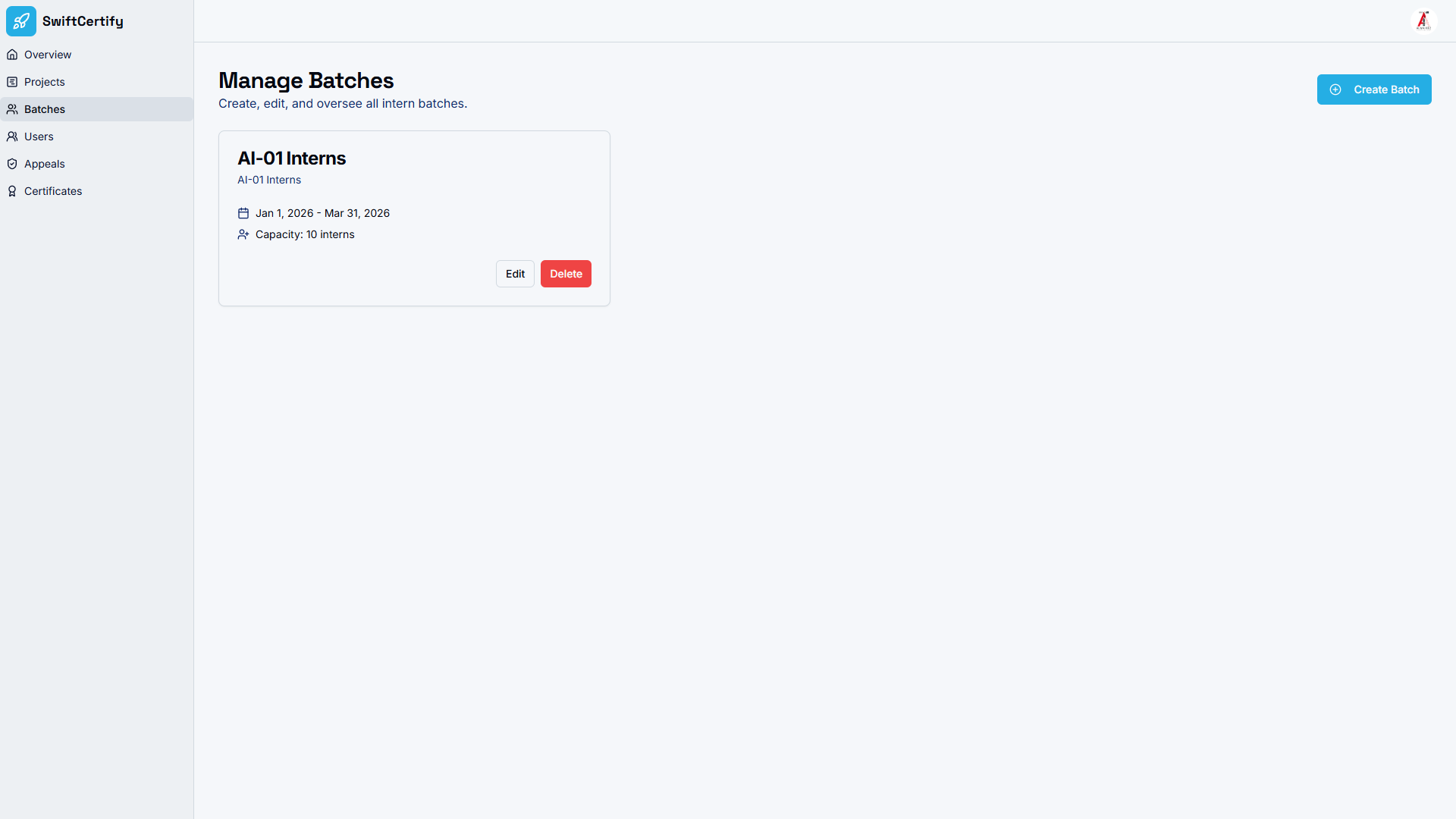
- Programme & Batch Management — Administrators can smoothly define programmes (e.g., “AI Engineering Bootcamp”) and create specific cohorts or batches (e.g., “Batch 4 – Summer 2026”), set dates, assign curriculum goals, and track participant progress across every cohort.
- Participant Self-Enrollment — Participants self-enroll using a unique batch-specific link. No manual data entry, no import headaches — participants fill in their own details and are instantly onboarded into the correct programme.
- Interactive Task Tracking & Appeals — Participants can track their assigned tasks, view project grades, and submit appeals directly through the platform, creating a transparent, fair, and engaging evaluation environment.
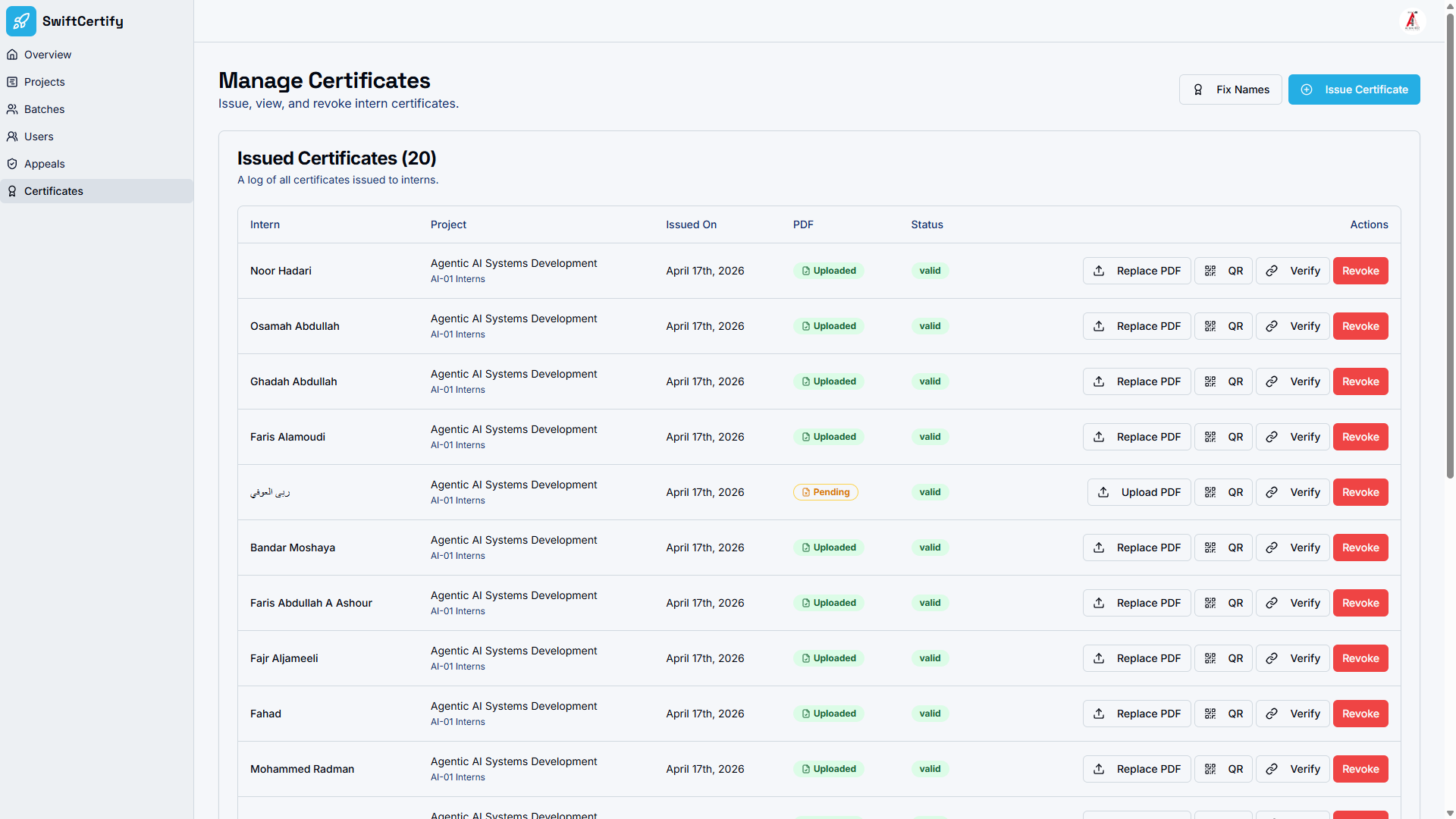
- Enterprise Credential Management — Issue, review, revoke, and manage immutable digital awards across multiple organizational branches from a single admin dashboard — without sacrificing security or performance.
- Secure E-Certificate API — Developers can integrate the secure e-certificate API to automatically trigger certificate generation and delivery from existing HR software or learning management platforms.
- Own Your Infrastructure — Deployed entirely on your Firebase instance. Your data never touches a shared SaaS server. True data sovereignty, full stop.
How It Works: From Enrollment to Verified Certificate in 3 Steps
Admin Creates Programme & Enrolls Participants
Log into the SwiftCertify admin dashboard and define your programme (e.g., “Advanced AI Engineering”) and batch (e.g., “Batch 4”). Then generate a unique self-enrollment link and share it with your participants — they click the link, submit their details, and are automatically onboarded into the correct cohort. No manual imports required.
Design, Sign & Issue the Certificate
Open the included .ai (Adobe Illustrator) template file from the project’s template.zip. Customize the visuals, branding, and layout to match your organization, then export it as a high-quality PDF. From the admin dashboard, generate a unique QR code for the participant and embed it into the certificate design. Finally, open the PDF in Foxit PDF Reader and apply a cryptographic digital signature using its built-in signature tools — protecting the document from unauthorized offline tampering. The certificate is now ready to issue.
Scan QR Code to Instantly Verify
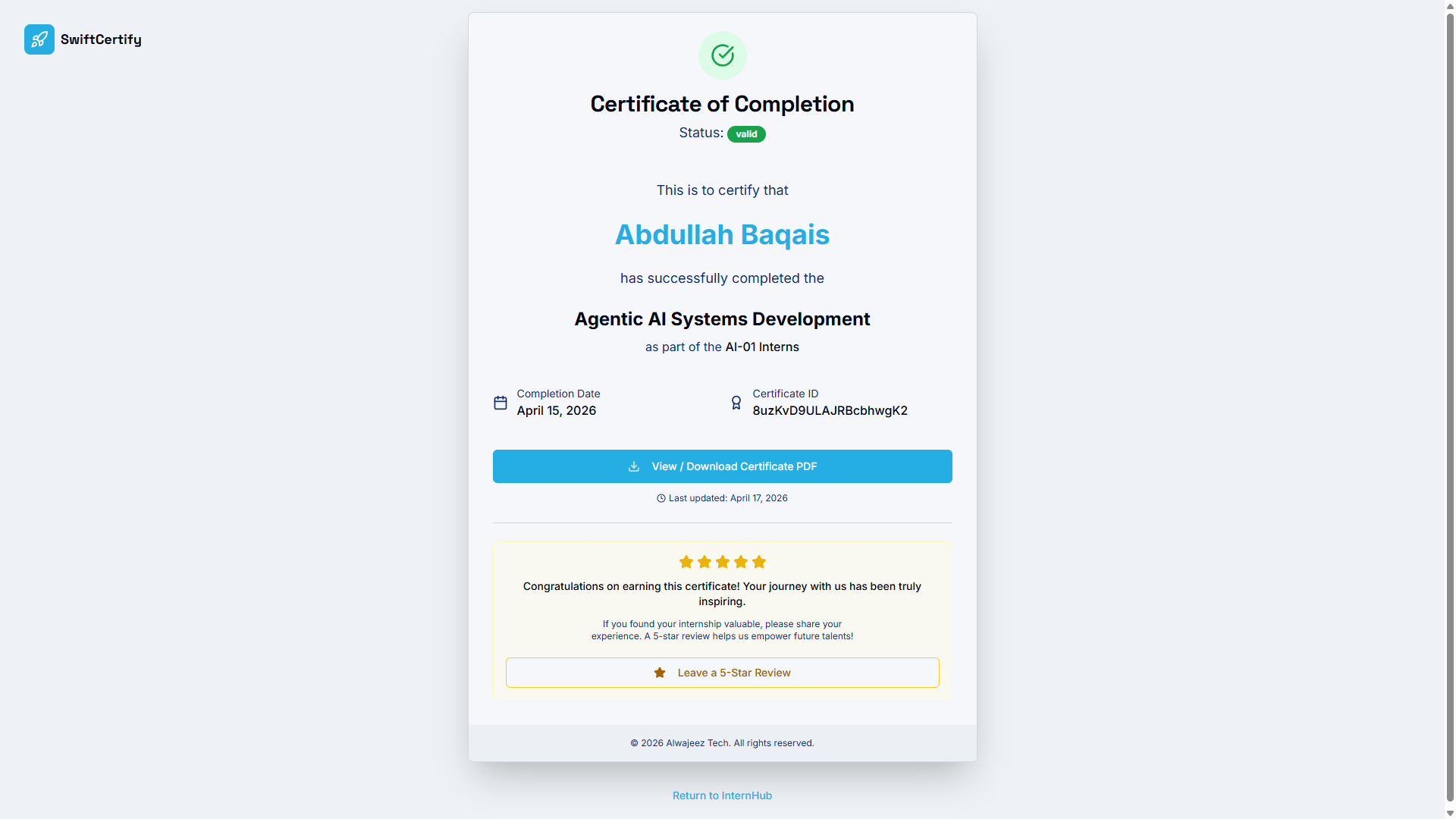
Anyone — an employer, university, or client — scans the QR code embedded on the printed or digital certificate using any smartphone. They are instantly directed to the SwiftCertify verification portal, which displays the certificate’s real-time validity status along with the full verified details: the owner’s name, the programme and batch completed, the specific project, the issue date, and the authorized issuing organization. Verification is public, instant, and tamper-proof.
Detailed Step-by-Step Guide: The Full Certificate Lifecycle
Step 1 – Create Programmes and Batches
Log into the admin dashboard to define a new programme and create specific cohorts or “batches.” This organizes participants efficiently and allows you to set specific dates, curriculum goals, and assigned projects for each group.
Step 2 – Enroll Participants
Generate a unique enrollment link for each batch directly from the dashboard. Share the link with your participants — they simply click it, fill out their details, and self-enroll into the correct programme effortlessly. No manual data entry is required on the admin side.
Step 3 – Design the Certificate in Adobe Illustrator
The project download includes a customizable .ai (Adobe Illustrator) template file inside template.zip. Extract the archive and open the file in Adobe Illustrator. Adapt the visuals, branding, colors, and text layout to match your organization’s identity. Once satisfied with the design, export it as a high-quality PDF.
Step 4 – Generate the QR Code and Attach the Verification Link
From the SwiftCertify admin dashboard, generate a unique certificate QR code for the specific participant. This QR code encodes the direct, secure online verification link for that individual certificate. Place the generated QR code onto your prepared certificate design before finalizing the PDF.
Step 5 – Digitally Sign the Certificate in Foxit PDF Reader
To guarantee document integrity against offline tampering, open the finalized PDF in Foxit PDF Reader. Use Foxit’s built-in digital signature tools to apply a cryptographic signature to the document. This step creates an authoritative, verifiable seal that proves the certificate has not been altered since issuance.
Step 6 – Scan and Verify
Once the signed certificate is issued to the participant, anyone with a smartphone can scan the embedded QR code. They are immediately taken to the SwiftCertify verification portal, which reveals the real-time status of the certificate alongside the full verified details: recipient name, programme, batch, completed project, issue date, and the name of the authorized issuer. Verification is instant, public, and requires no account or login.
Sample Verification Result
✅ Verification Status: VERIFIED
- Certificate ID: CERT-9482-A8FX-2026
- Recipient: Jane Doe
- Programme: Advanced AI Engineering Batch 4
- Project Completed: Enterprise Chatbot Integration
- Issue Date: April 17, 2026
- Issuer: Alwajeez Tech
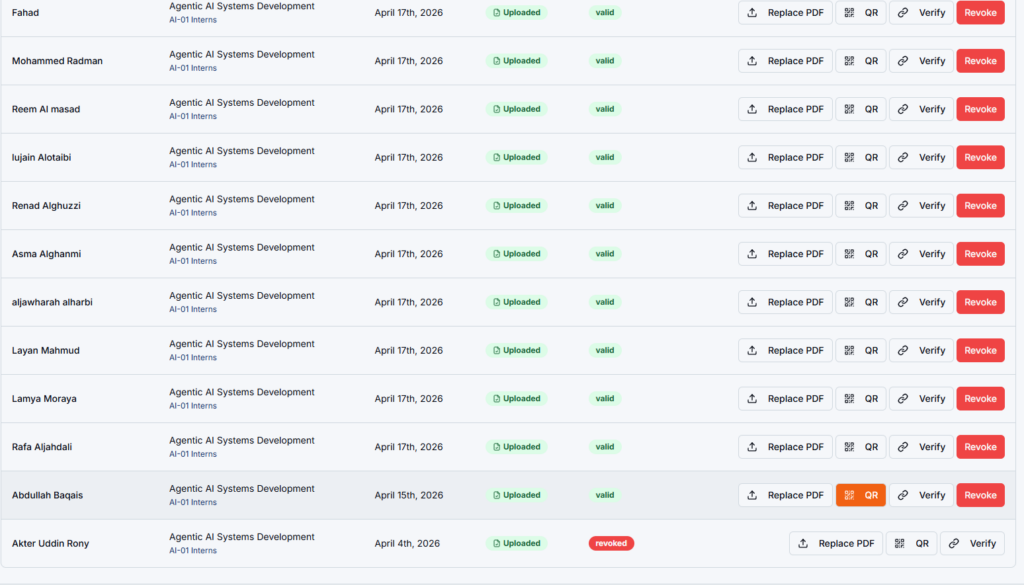
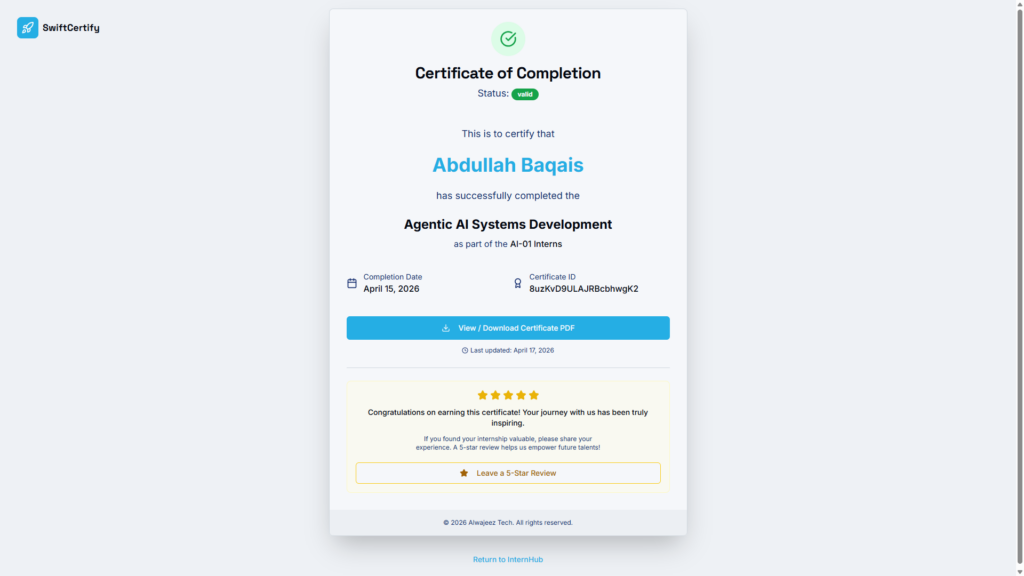
The verification page is hosted entirely on your sovereign domain and displays tamper-proof, cryptographically validated information for every certificate issued through your platform.
Technical Specifications
| Specification | Details |
|---|---|
| Frontend Framework | Next.js & React (lightning-fast, SEO-ready architecture) |
| Backend & Database | Google Firebase (Firestore, Authentication, Hosting) |
| Authentication | Google Accounts (Gmail) — for both Admins and end Users |
| Hosting | Self-hosted on your own Firebase Hosting instance |
| Deployment Tool | Firebase CLI (firebase deploy --only hosting) |
| Certificate Design File | .ai (Adobe Illustrator) template — included in template.zip |
| Digital Signature Tool | Foxit PDF Reader (required separately — free download) |
| QR Verification | Unique per-certificate QR codes generated via the admin dashboard |
| API | Secure E-Certificate API for integration with external HR/LMS platforms |
| Data Ownership | 100% sovereign — all data stored in your own Firebase project |
Quick Deployment Overview
SwiftCertify deploys in minutes using the Firebase CLI:
- Install Firebase CLI and authenticate:
npm install -g firebase-tools && firebase login - Link to your Firebase project:
firebase use --add your-project-id - Build the production application:
npm run build - Deploy to Firebase Hosting:
firebase deploy --only hosting
What’s Included in Your Download
- ✅ Full SwiftCertify Application Source Code — Next.js/React codebase ready for Firebase deployment
- ✅ Admin Dashboard Access — Complete programme, batch, participant, and credential management interface
- ✅ Adobe Illustrator Certificate Template — Fully customizable
.aifile insidetemplate.zipfor designing your branded certificates - ✅ QR Code Generation System — Per-participant QR codes with secure online verification links, generated from the admin panel
- ✅ Public Verification Portal — A tamper-proof, publicly accessible certificate verification page hosted on your own domain
- ✅ Secure E-Certificate API — For integration with existing HR software or learning management platforms
- ✅ Firebase Deployment Documentation — Step-by-step instructions to deploy your white-label certification software on Firebase Hosting
- ✅ Google Account Authentication (Gmail) — Pre-configured frictionless sign-up and sign-in for both administrators and participants
SwiftCertify is standalone software deployed on your own Firebase infrastructure. Foxit PDF Reader and Adobe Illustrator are third-party tools required for the certificate signing and design steps respectively and are not included in this download. Firebase account setup is required for deployment.